Posted by SolidShops on October 31, 2012 at 10:58 AM
At SolidShops we’re all about making you more productive. Our goal is to help you build stores and websites faster and better and you can do that by leveraging the power of CSS frameworks like Twitter Bootstrap and Kube.
We’ve created two vanilla themes you can use to kickstart a new SolidShops project. We’ve used Twitter Bootstrap and Kube Framework as our weapons of choice. In its simplest form, Twitter Bootstrap and Kube are nothing more than pre-written CSS files you can use to boost your design work.
Especially if you want to create a responsive design (you know, a design that adapts to any screen resolution like mobile phones, tablets, …) for your next client, you’ll notice that you can save hours by using the pre-defined css classes to define a responsive grid.
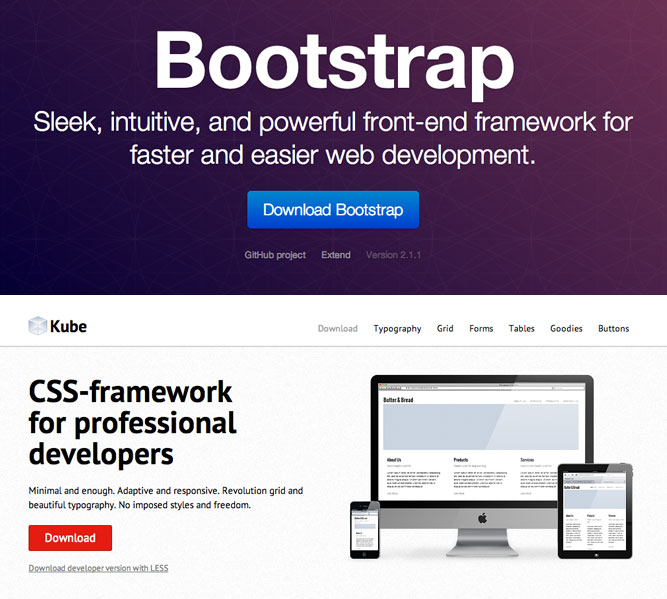
You can install the themes by logging into your store and by navigating to the “Design” and “Theme store” tab.
There you’ll find the Kube Framework theme (which is easier to get started with) and the Twitter Bootstrap theme (which has more features but is a bit more complex).
If you’d like to take a look at how these boilerplate themes look like before installing them, we’ve set up demo stores for Kube Framework here and Twitter Bootstrap over here.
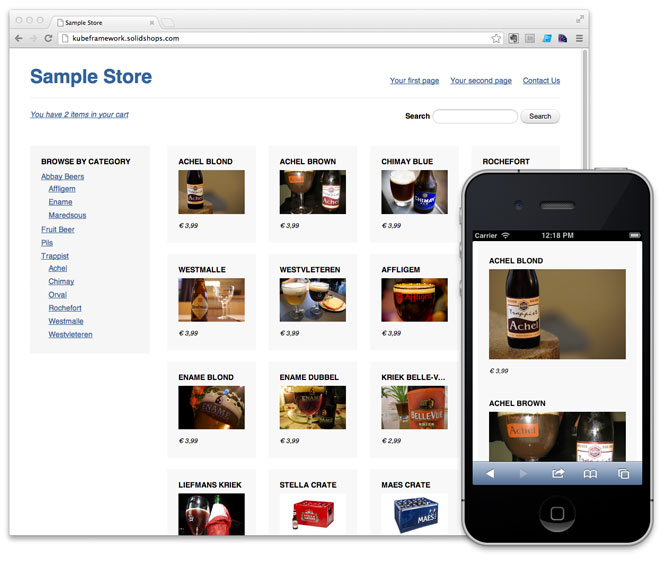
Because every project is unique and has unique design requirement, we’ve decided it’s better to ship a vanilla and stripped down version of the themes, so you can add in your own styles to customise the design to your liking.
We hope that these two frameworks will speed up your development time and workflow.
Let us know if you have any questions or suggestions on how we can make you even more productive. We’d love to know!
Posted by SolidShops on October 22, 2012 at 08:52 AM
People sometimes ask us: “Is SolidShops for web designers or for store owners”.
The answer is: both.
Let me explain. Store owners need a simple way to manage their products and orders. SolidShops does that.
On the other hand, store owners often want a unique look & feel for their store. Something that fits their brand perfectly. That’s where a web designer with knowledge of HTML and CSS comes in.
Web designers are using SolidShops to build stores faster for their clients. People that don’t have design skills also see the potential of SolidShops and want to get started themselves. That’s perfectly doable, until the point where they want to start customising their design to perfection. Web designers know that the only way to do that is by writing some HTML and CSS.
To make it easier for store owners to find a web design partner that can help them out with the design and more advanced implementation of their store, we’ve created an Experts page.
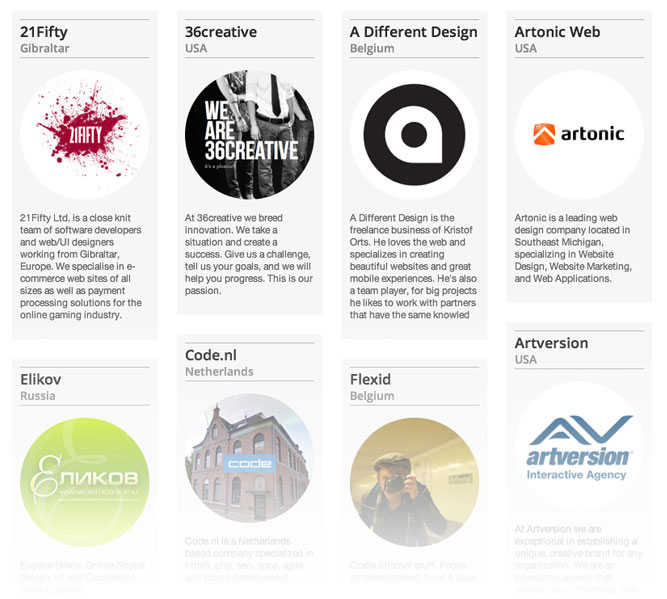
We’ve partnered with several freelancers, studios and agencies that deliver high quality web design work. Some of the experts have worked with SolidShops since the beginning. Some of them are designers we’ve met in person. Others might have a track record in designing stores on other platforms. All of them have great experience in building out web sites and stores for clients.
What matters is that it’s now easier to get in touch with a web designer if you feel the need to do so.
We’ll be expanding our list of experts continuously. If you are a web designer and you feel you should be included on the experts page, send us your details and portfolio and we’ll have a chat.
Keep building better stores everyone!
Posted by SolidShops on February 18, 2011 at 03:40 PM
A shop sells best when the complete store has a consistent look and feel, that includes the checkout process your users go through when completing an order.
We’ve listened to our users and have implemented customization of the checkout process through nothing more than simple CSS.
We’ve kept things simple and efficient by using a file called checkout.css. Just add a checkout.css file to your theme and we’ll automatically detect that file and plug it into your checkout pages.
Here’s a comparison between the default checkout style on the left and a slightly customized version for one of the shops running on the SolidShops platform. The checkout.css file used to create a the right version contained only a handful of CSS rules.
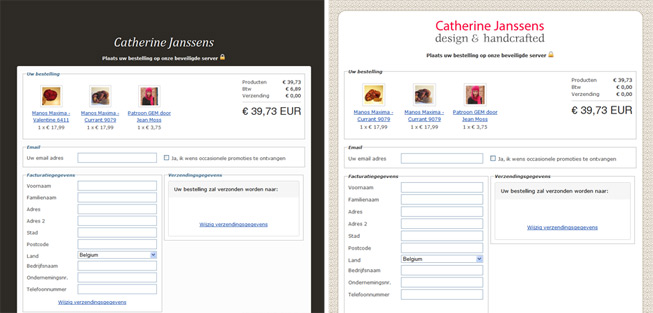
It’s completely up to you how you want to customize the checkout page. In the example above, they only thing that was changed is the background image and a custom logo to create a consistent shopping experience. If you want to take it a step further and customize all elements on the checkout pages, go nuts.
Check out the documentation for exact instructions if you need them and let us know if you have done something creative with your checkout page!
Thanks again everyone for the valuable feedback you’ve given us. Thanks to you we are able to continuously improve SolidShops. Enjoy the update!
Posted by SolidShops on July 02, 2010 at 08:34 AM
Since the beginning we’ve been focused on making SolidShops.com as easy as possible, while maintaining flexibility, especially when it comes to building templates for your stores. Being a web designer myself I had a fairly good idea of what we needed to build to make our application easy and fun to use for web designers.
I also talked to a lot of colleagues in the sector, to friends, to people at conferences such as the amazing Future Of Web Apps and to shop owners and asked them what their design requirements are when building an online web shop.
Almost all web designers, including me, thought of the following
- a flexible – but easy to use – template language
- the possibility to manage assets, files, images
- selection of a default theme, to get started quickly if necessary
- the use of partials/includes in templates for recurring bits such as footers and navigation.
A few months later we have implemented all of these core features into the application. To give you a sneak preview before we launch in beta, here are some screenshots that give you an idea of how you’ll be able to build your own templates with our own solid templating language.
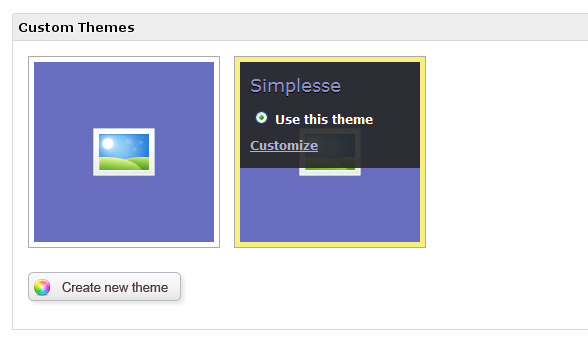
One you’ve created your own custom theme, you can start editing and creating files like stylesheets, javascript files for your store’s interaction, style your cart, build categoy pages and so on.
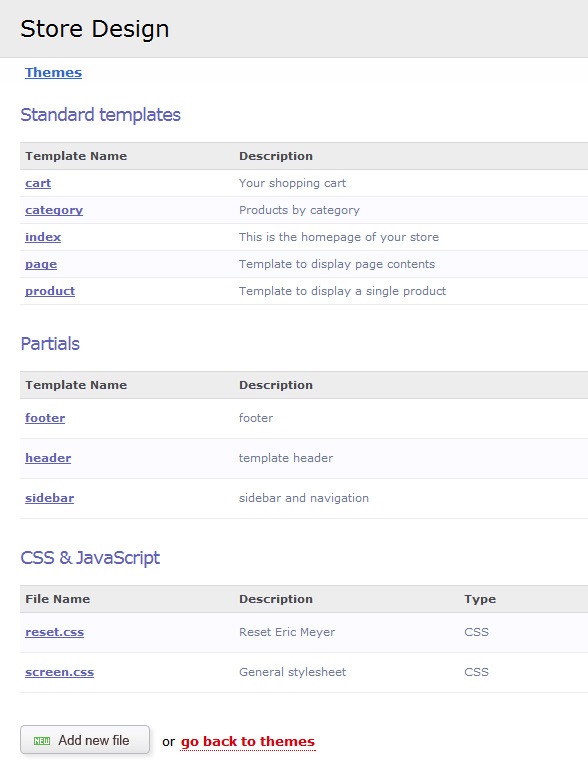
Some e-commerce packages make it almost impossible to create a theme from scratch, let alone enjoy creating one, while others require you to download and install a bunch of software before being able to roll our your designs.
We’ve taken a different approach here by building a custom template editor inside the application. That way you can edit your templates on the go, on any computer, without the need to install anything.
Of course we’ve taken care of syntax highlighting (we use the excellent CodeMirror for that) and normal tab-key behavior that doesn’t leave your code editor but tabs your code to the right. Of course the editor is not as powerful as Dreamweaver or Aptana, but it doesn’t have to be.
All you need is html/css and if you want some javascript to spice things up, combined with our template language. Below is a screenshot of the single products page being edited
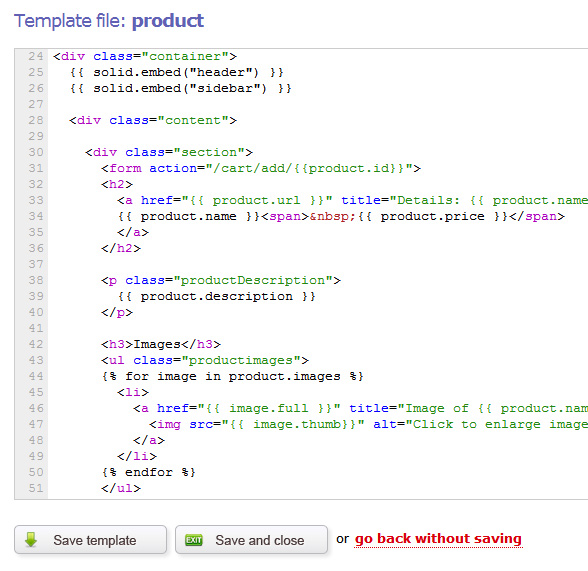
When you save the template above, the content will be rendered in plain html. Styling can be done in any way you like using CSS.
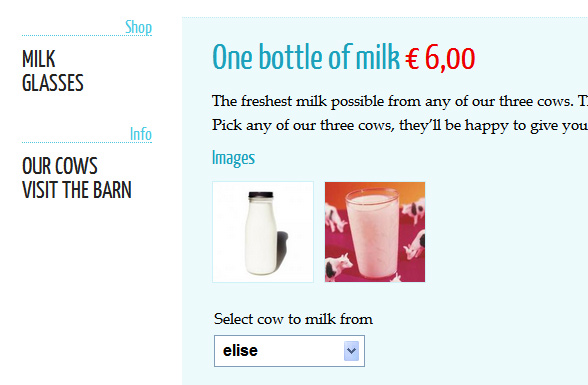
There you have it in a nutshell: 100% custom and flexible webshop templates for your own store or for your clients stores. We are really curious about what you will come up with using our template language so get started, build your html/css templates already and pump ‘m into our application when we launch.
Of course we’d love to know what you think and how we can make our application better. We’ll soon launch in beta and those who have already subscribed for it, will receive an email confirming their beta again. If you haven’t subscribed for the beta yet, please do so now on www.solidshops.com.
Until then, stay tuned everybody and thanks so much for being patient up to this point. We get the question “when will you launch” almost every day and the answer is: when it’s ready to launch in beta.


Let's get social shall we?
We'd love to know what you think. Join the conversation about your hosted e-commerce solution.